Why I Ditched Heavy Dashboards and Built My Own in Pure Rust
AMUD Dashboard started because my bookmark portal was eating 150MB of RAM and I was tired of YAML. Here's what I built instead.
My homelab had the usual problem: twenty services, zero good way to open them.
I tried the usual suspects. Heimdall looked nice until I checked htop and saw PHP-FPM doing absolutely nothing useful while holding ~150MB. Homepage was closer to what I wanted — live widgets, clean UI — but I spent an entire Sunday debugging a YAML indent before I admitted I hate editing config files on disk for something as dumb as "add Jellyfin link."
So I did what any reasonable person with too much free time does: I wrote another dashboard.
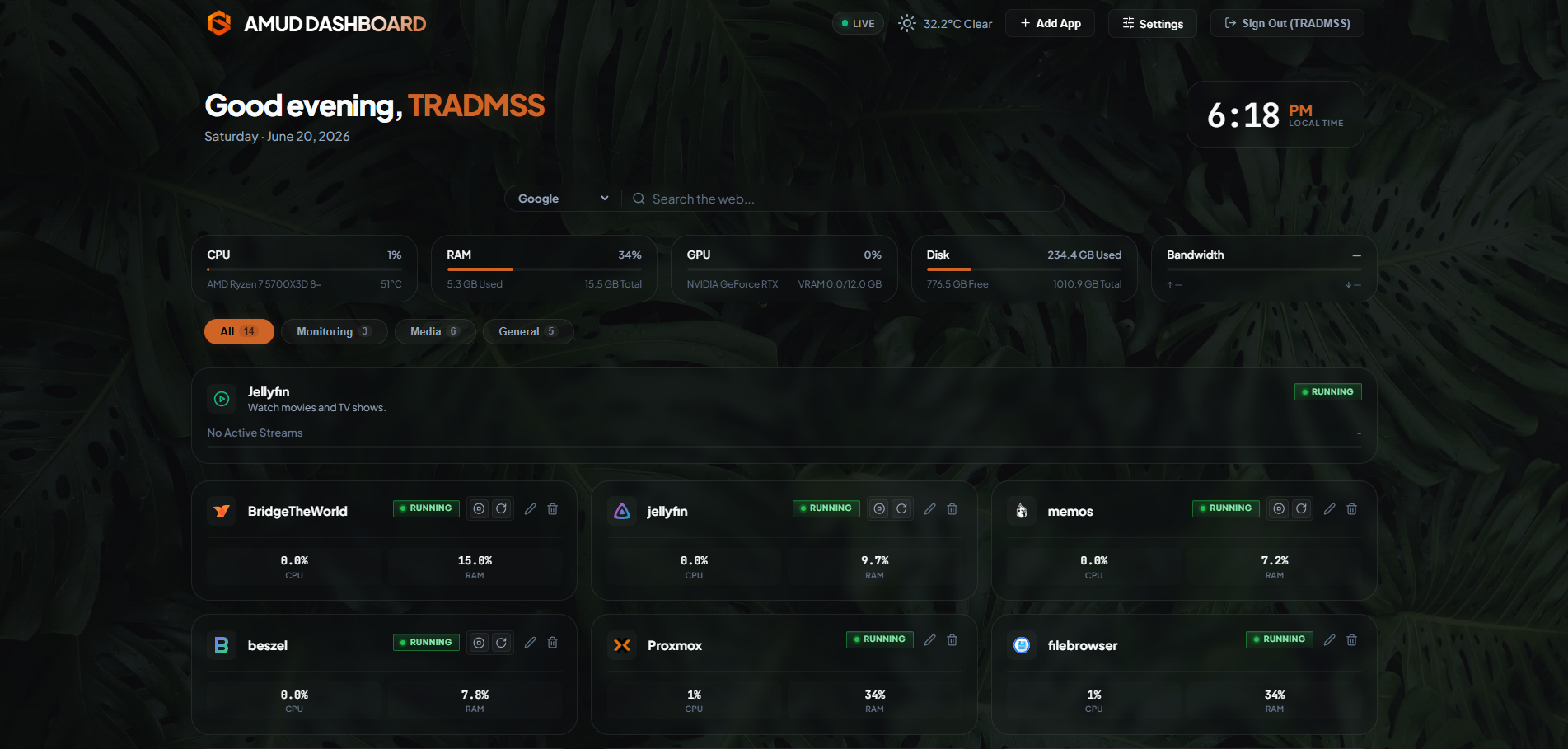
AMUD Dashboard (yeah, Advanced Modern Unified Dashboard — I know, acronym energy) is a compiled Rust app with SQLite config. No YAML. No Node runtime sitting there burning RAM while nothing happens. On Proxmox, server + agent combined idle around 26–35MB. That's not a marketing number; that's what I actually see in the LXC.
What it actually does
Two binaries:
amud-server— Axum web server, SQLite, WebSockets for live metricsamud-agent— polls/proc, talks to Proxmox API and Docker socket, shoves JSON over a Unix domain socket
You configure everything in the browser. Apps, tabs, Plex tokens, accent color — all in SQLite. Backup is literally one file: amud.db. Copy it somewhere safe. Done.
Live CPU/RAM/disk bars update over WebSockets. Link an app card to a Proxmox CTID and you get RUNNING / STOPPED badges. With the right API token you can start/stop containers without opening the PVE UI.
Why Rust and not Go/Python/whatever
I wanted something that compiles to a static binary, doesn't need a GC pause during telemetry polling, and won't segfault because I messed up a pointer. Tokio handles concurrent polls (Plex, Pi-hole, host metrics) without blocking the web server. For a daemon that runs 24/7 on a box that's also running Plex and five *arr containers, that matters.
Try it
Proxmox one-liner on the host:
curl -sSL https://raw.githubusercontent.com/boubli/AMUD-Dashboard/main/setup-amud.sh | bash
Docs: /docs/intro
GitHub: boubli/AMUD-Dashboard
I'm writing more posts in this series — install guides, the YAML rant in detail, troubleshooting the cursed CHECKING... badge. If this sounds like your kind of rabbit hole, star the repo and follow along.